

What people say
App Store reviews
"Life changing!"
"I've used a few app blockers over the years and this is by far the best one"
"...has helped me reduce over an hour and a half per day of screen time since downloading!"
"My doom scrolling has decreased SIGNIFICANTLY"

"I went from almost 7 hours of daily screen time to under 2. I tried every app blocker first. None of them stuck. So I built ScreenBuddy."
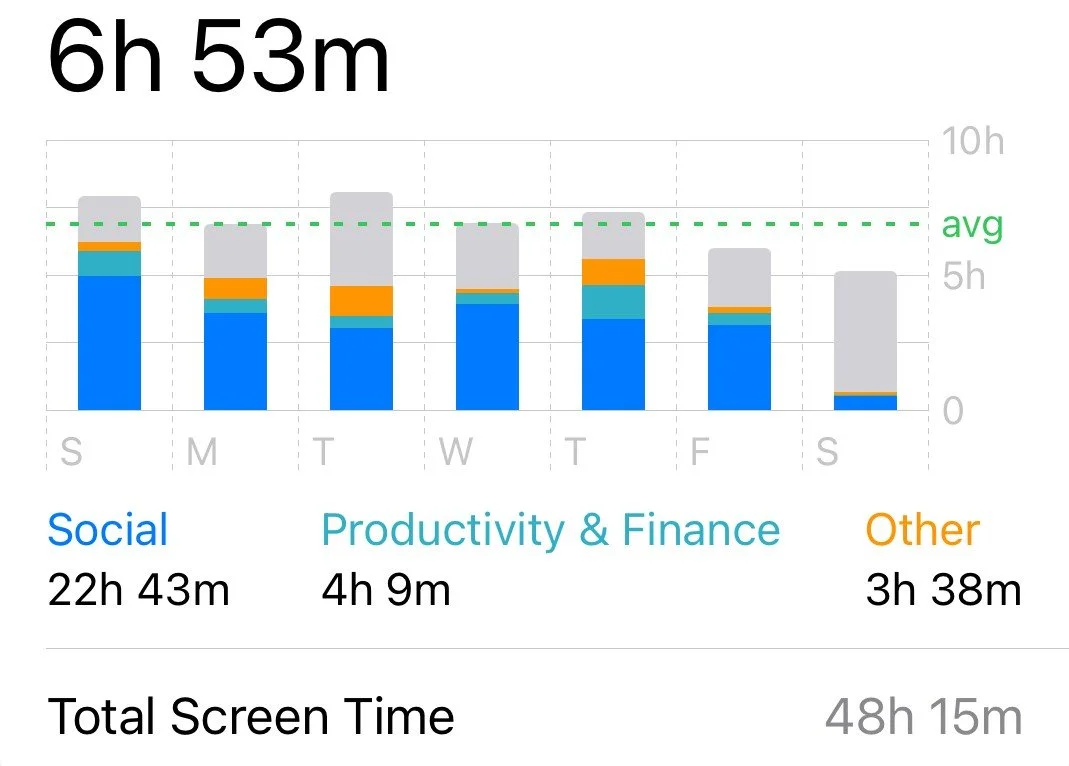
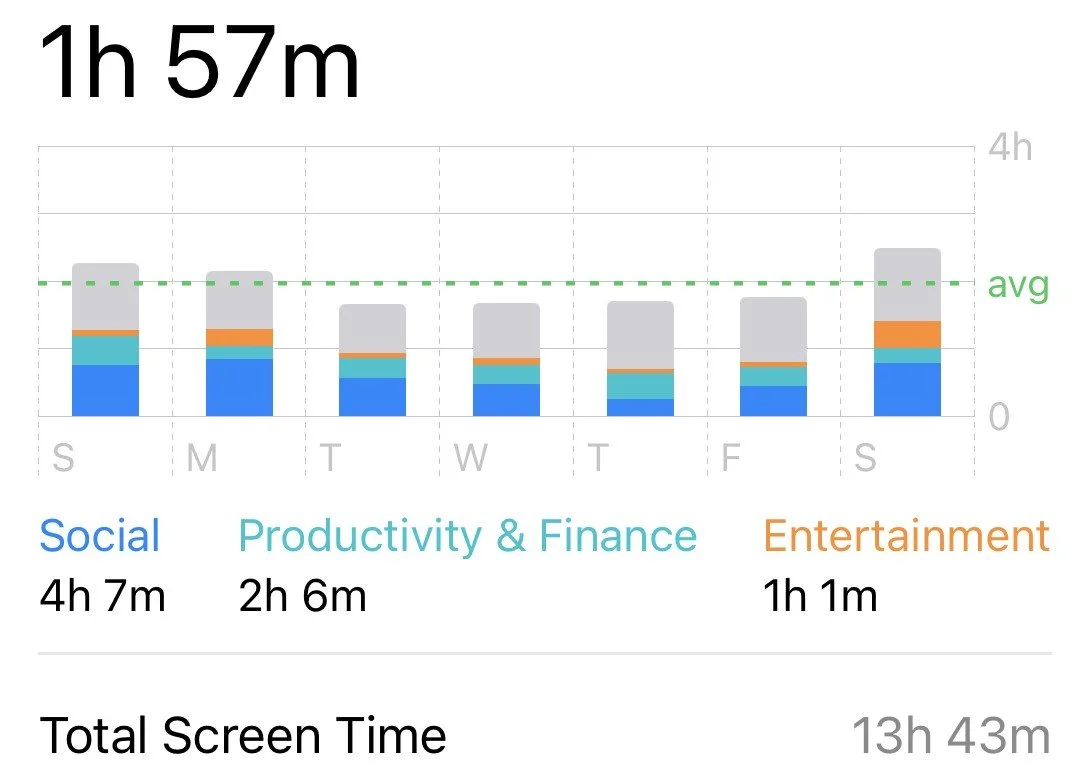
What actually stops doomscrolling?
A pause before the app opens. In one study, a short pause before an app opened cut how often people opened it by 57%. ScreenBuddy's 25‑second countdown is built on the same idea.
How it works
Set it up once. Every open after that gets a pause.
-
Pick your most distracting apps
They stay locked.
-
Want one? Wait 25 seconds
Then it's your call whether to open it.
-
Still want it? Scroll until your limit
Once your daily time is used up, they lock until midnight.

Common questions
Can I just bypass ScreenBuddy?
No, you cannot bypass the 25-second countdown or ignore your limits. Once your daily limit is used up, your limited apps lock until midnight, with no "ignore limit" or "15 more minutes" button.
Won't I just get used to the 25‑second wait?
The countdown alone can become routine, so ScreenBuddy pairs it with a daily limit. The countdown breaks the mindless phone grabs, and the limit keeps your usage in check.
Why is my iPhone Screen Time limit not working?
First check that Block at End of Limit is turned on in Screen Time. Even then, Apple's limits come with ways to skip them: One More Minute, Remind Me in 15 Minutes, and Ignore Limit for Today. ScreenBuddy adds a 25-second countdown before a limited app opens, and once your daily limit is used up there's no skip button and no way to raise it. Your apps stay locked until midnight.
Is ScreenBuddy free?
You get 3 days free, then it's $3.99 a month or $39.99 a year. That's less than $1 a week on either plan. Cancel before the trial ends and you aren't charged. There's also a one-time $99.99 lifetime option, which has no free trial.
How do I block Instagram or TikTok on my iPhone?
Open ScreenBuddy, pick Instagram, TikTok or any other app, and set a daily limit. They stay locked by default, and each open starts a 25-second countdown. An app you unlock counts against your limit until you go back to ScreenBuddy, which locks it again. Once your limit is used up, they lock until midnight.
Will it lock me out of apps I need?
No. Only the apps you choose are limited, and you can open them any time after the 25-second countdown until your daily limit runs out. Everything else on your phone works like normal, so you can still take calls, check your calendar and reply to your boss.

Take your day back
Free for 3 days. Cancel anytime.
$3.99/month · $39.99/year · $99.99 lifetime

ScreenBuddy: App Blocker is an iPhone app by J13 Digital LLC · © 2026